

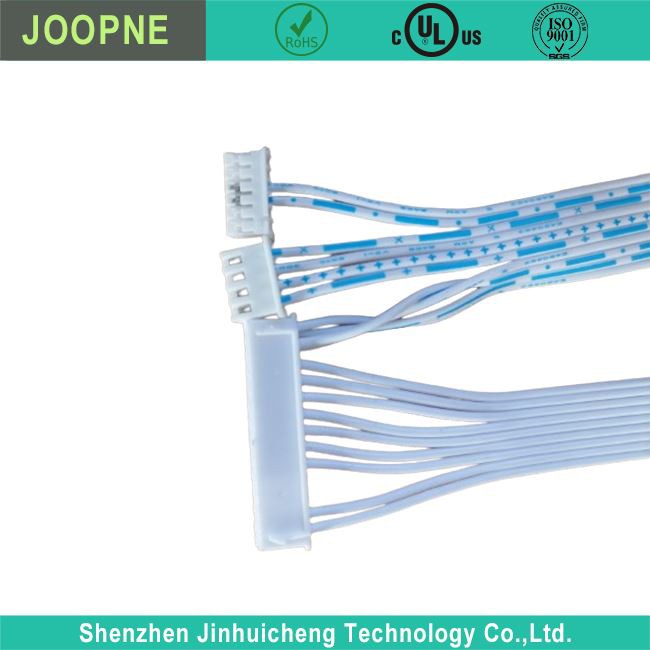

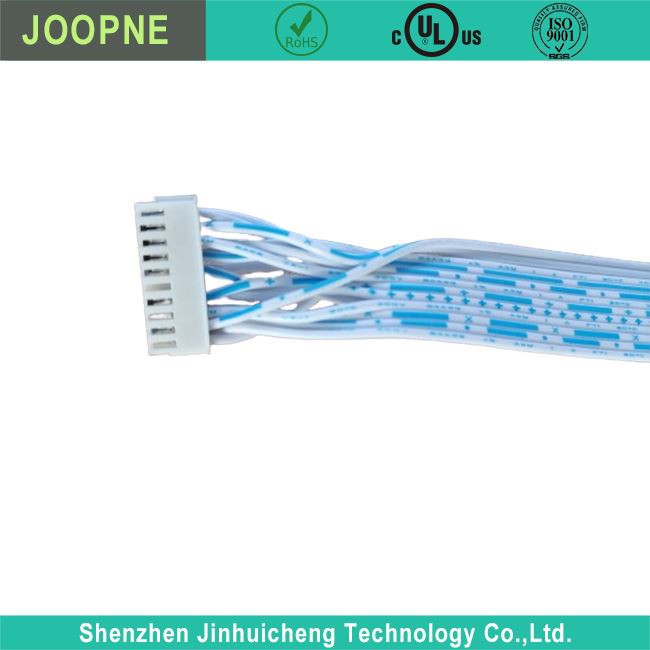
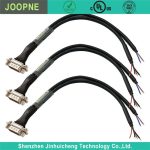
18pin Motherboard Power Supply Cable
18Pin Motherboard Power Supply Cable Motherboard power supply cable introduction Products Description Motherboard Power Supply Cable Parameter Motherboard Power Supply Cable Description An 18-pin motherboard power cable is somewhat unusual, as the standard motherboard typically uses a 24-pin…
Product Introduction
18Pin Motherboard Power Supply Cable
Motherboard power supply cable introduction

|
· PVC insulated |
|
· UL2468 24AWG cable |
|
· Suitable for different motherboard power supply with different Pin |
|
· UL standard; IEC standard; durable design for long-lasting strength and performance |
Products Description
Motherboard Power Supply Cable Parameter
|
Rated Voltage: |
5V-12V |
|
Rated Current: |
0.125A-5A |
|
Power Cord Plug: |
Different Pin Connector |
|
Power Supply: |
Low Voltage |
Motherboard Power Supply Cable Description
An 18-pin motherboard power cable is somewhat unusual, as the standard motherboard typically uses a 24-pin main power connector. However, certain proprietary systems or specialized form factors might use an 18-pin connector.
This could be due to a variety of reasons, such as space constraints within the system’s case, or a design that separates power delivery into multiple connectors for modular power supplies.
In some instances, this 18-pin connector might be part of a larger system where it is used in conjunction with another connector, like a 10-pin, to form the full 24-pin connection that is standard for most motherboards.
For example, in some Dell or HP systems, you might find such configurations where the standard connector is split into two separate connectors for their proprietary motherboards.
It’s important to note that these specialized connectors are not typically interchangeable with standard connectors. They are often keyed differently and have different voltage pinouts to prevent incorrect connections.
If you have a system that requires an 18-pin power cable, you should use the power supply unit (PSU) that comes with the system or one that is specified by the manufacturer as compatible. Using an incorrect power cable can lead to serious damage to the motherboard due to incorrect voltage or pin alignments.
For those who need to adapt these proprietary connectors to standard ones, there are adapters available, though caution should be exercised when using these to ensure they match the specific requirements of the hardware.
Always refer to the documentation of your motherboard and power supply to ensure correct cable usage and connection. If you’re replacing a power supply or unsure about compatibility, it’s best to consult with the hardware manufacturer or a professional technician.
use scenarios of motherboard power cord
18-pin power cable is mainly suitable for low-end or entry-level motherboards and hardware configurations. Due to its relatively lower power supply capability and stability, it is better suited for scenarios that do not require high power, such as basic office computers, study computers, and similar setups.






Frequently Asked Questions
motherboard power supply cable guide
What is the 24-pin power connector used for?
+
–
The 24-pin connector is the main power connector that supplies power to the motherboard. It’s standard on almost all modern motherboards and is essential for the system’s functionality.
Can I use any power supply with my motherboard?
+
–
No, you should make sure that the power supply is compatible with your motherboard in terms of connector types and sufficient power capacity for all your components.
Can I use an adapter if my power supply doesn’t have the correct connector for my motherboard?
+
–
While adapters exist, they should be used with caution. It’s crucial to ensure that the adapter is compatible and that it doesn’t violate any of the electrical specifications of your components. Improper use can lead to hardware damage or instability.
How do I know if my power supply provides enough power for my motherboard?
+
–
You should calculate the power requirements of all your components (CPU, GPU, RAM, storage, etc.) and ensure that your power supply exceeds this total wattage with a comfortable margin for efficiency and potential future upgrades.
Please ensure you consult your motherboard’s manual or manufacturer’s website for specific information regarding your hardware requirements.
Tips for Connecting Motherboard Power Supply Cables
+
–
1,Read the Manual: Always refer to your motherboard and power supply manuals for specific instructions.
2,Cable Management: Plan your cable routing for a clean build and optimal airflow.
3,Check Connections: Make sure all connections are secure but don’t force any plugs as pins can bend or break.
4,Power Ratings: Ensure your power supply can handle the load of all your components combined.
5,Unused Cables: Modular power supplies allow you to only connect the cables you need; unused cables can be stored away.
Hot Tags: 18pin motherboard power supply cable, China 18pin motherboard power supply cable manufacturers, suppliers, factory, 50 pin lvds cable, 8 b s twin core, high frequency coaxial cable, pv wire 10 awg, sata to sata extension cable, ffc usb


Send Inquiry
